
How to log in to your CER account with your GCKey
Sweet class action:
A settlement agreement in the Sweet Class Action has been approved by the Federal Court. Learn more about available compensation in the Notice of Settlement Approval.
Step 1
On the CER homepage under the “Applications and Hearings” menu, select "Participate in a Hearing” and then “Participation Portal”.
Step 2
To log in to a CER account, you must click either
- "Register" beside the hearing name in the table on the Participation Portal home page, or
- "Sign in", which takes you to the CER login page.
There are two secure methods to log in: as a Sign-in Partner or by using the GCKey Log In.
The following instructions focus on the GCKey method.
Step 3
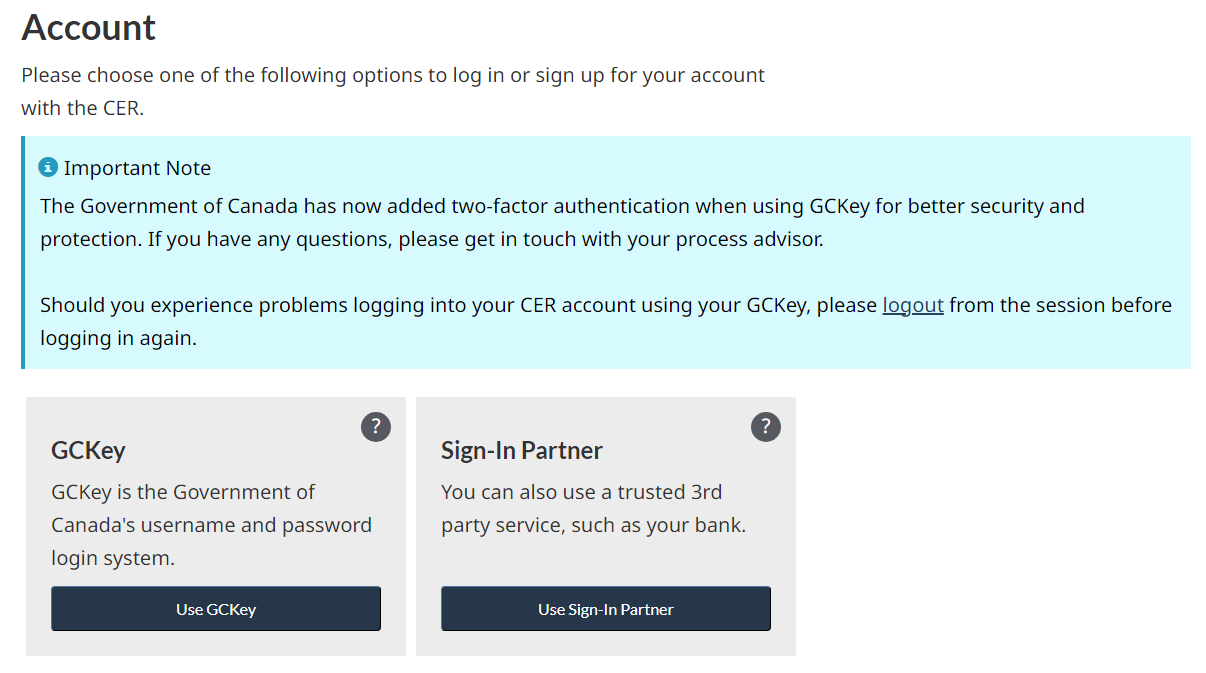
Click “Use GCKey”.
Step 4
You will be temporarily redirected to the GCKey Sign In/Sign Up page on the Service Canada website.
Click on your language of preference.
Step 5
Enter your username and password and click “Sign In”. You will be redirected to your CER account.
- Date modified: